Friday, March 15, 2013

Ultrasonic transducers ordered


Ultrasonic Wave TCT40-18R from dx.com
Last night I ordered a pair of Ultrasonic Wave Transmitter and Receiver heads. These are driven at 40kHz compared to the 4.8kHz I run the current radio beacons at. My hope is that I can use these to improve the accuracy of the radio beacons. The idea is not to measure distance to an object but to measure distance between two specific entities, the robot and a radio-beacon.

I have tried using two HC-SR04 units and tried measure the distance between them but the echo cannot be detected before the trigger has been activated.


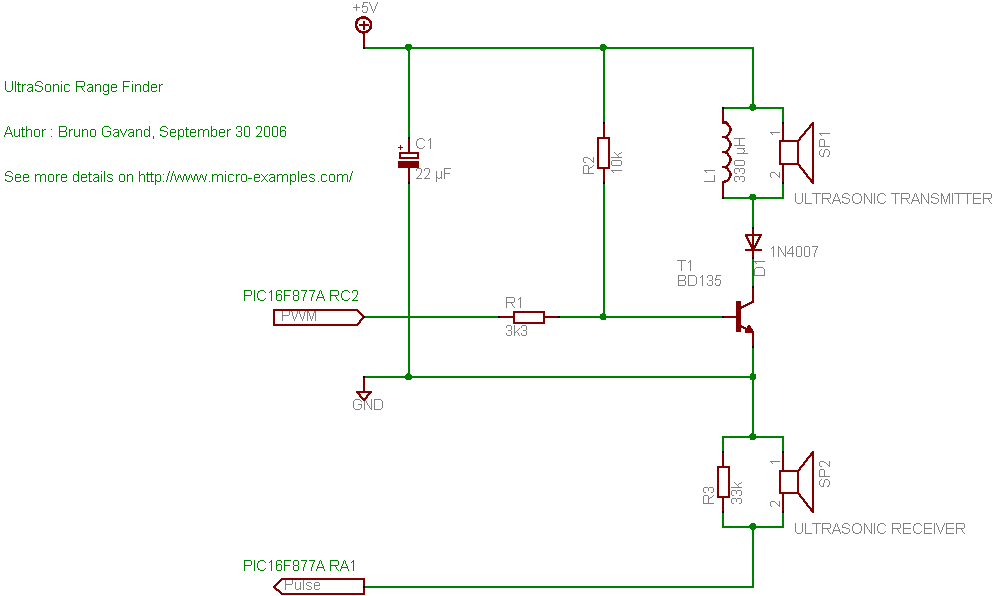
A schematic for ultrasonic range finder from micro-examples.com

I intend to build one sending circuit for the robot and one receiver circuit for the radio-beacon with these. I found the above schematics from micro-examples.com with PIC example code. That circuit looks easy to connect and I just need to divide it into two parts. The code needs to be adapted to Arduino but that sounds even more easy, PWM at 40kHz, delay to avoid false readings and wait for the response... easy as pie. I can probably use the pulseIn Arduino function or a interrupt trigger.

USB-HUB

Not really related but I also ordered a 4-port USB HUB with individual switches for the new workshop. I hope that will save me from the wear and tear of pulling those USB cable out and press them in all the time.

Wednesday, March 13, 2013

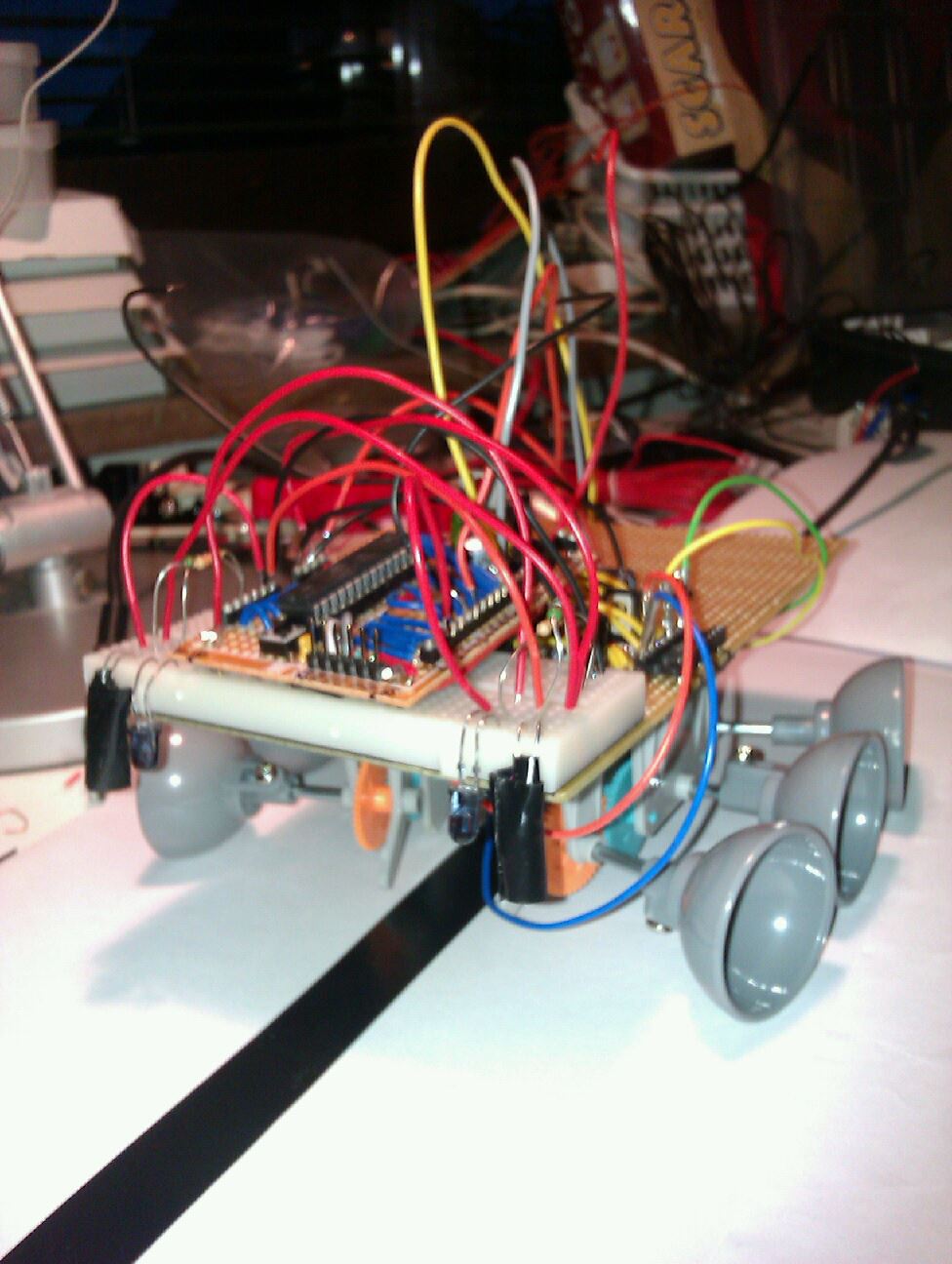
Arduino Robot with homemade H-bridge

Since all my electronics is in boxes for the redecoration of my workshop. I thought it would be nice to show an old robot project of mine.

This robot was built as a line following robot. The motors, gears and wheels of the robot is from the scarab beetle robot I built with my 7 year old. 


Image from The Automata Blog on the scarab beetle
On top of that base I built myself a H-bridge circuit to control the motors. An H-bridge lets you run an engine in both the forward and the backward direction. To control two motors you need two H-bridge circuits. The H-bridge is built out of a set of npn and pnp transistors as well as some diods and resistors to protect the Arduino board from the inducted voltages from the motor.

The H-bridge on a protoboard running a 3V motor.

The H-bridge is controlled from an homemade Arduino board. The Arduino controlls the direction of the engines and collects sensor inputs from a set of photo diods and and IR-LED. The IR-led is turned on and off and the photo-diode captures the difference in amount of reflected light. That way the Arduino board can figure out the reflectivity of the surface under the robot.

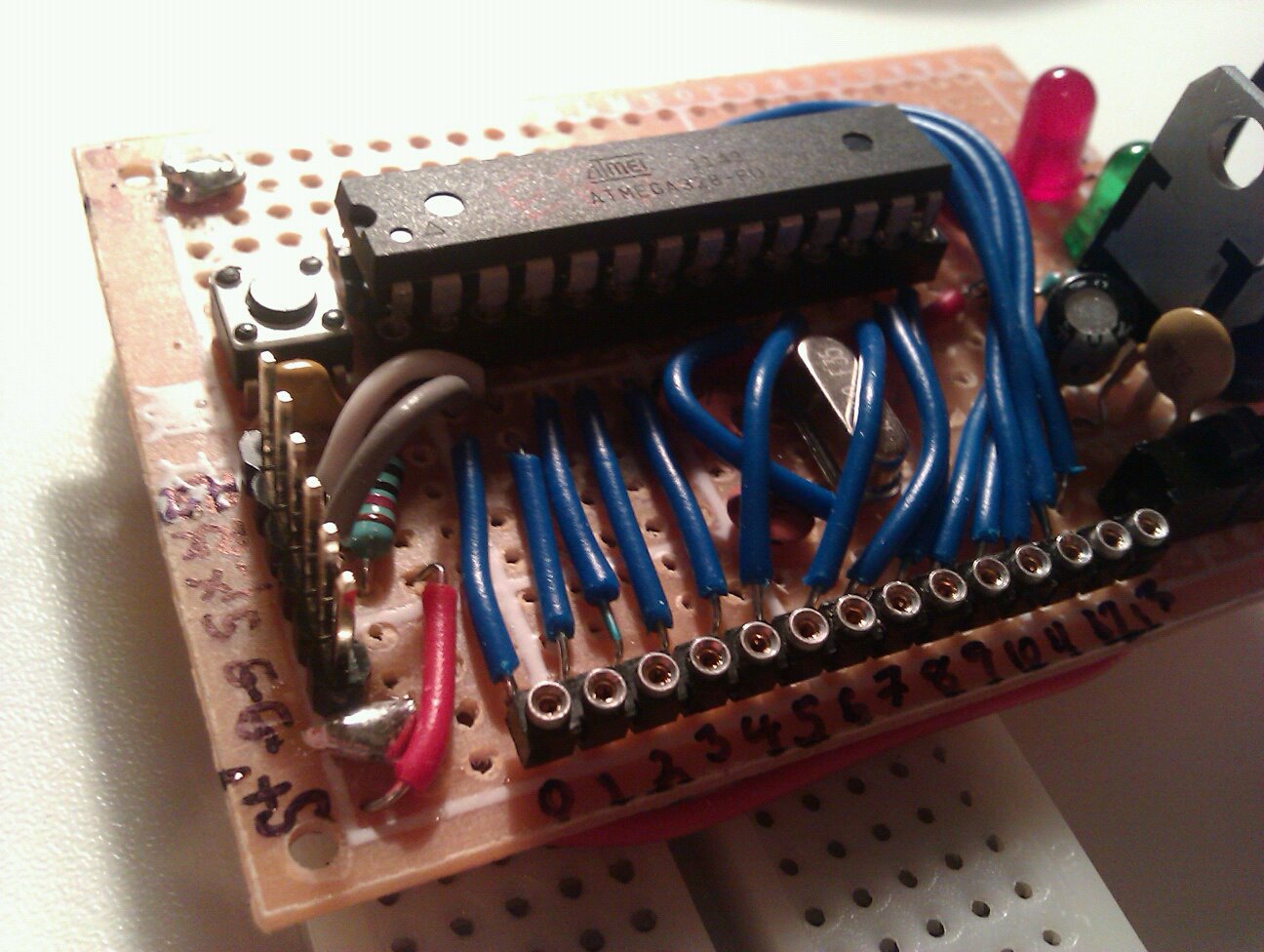
Homemade Arduino
I put two sets of reflectivity sensors in the front of the robot on a breadboard so I can add and remove stuff. The robot starts by calibrating the sensors so it turns left and turns right and back to center in order for both sensors to capture the maximum and minimum reflective of the dark line versus the floor.

The robot in all its glory, lots of cable-mess
The robot could follow a line on the floor in a roughly circular pattern, it had to be driven quite slowly in order to not miss the line and run away. The code was very simple, if a sensor encounters the black line, turn in the opposite direction a bit.

This was built around a year ago, now I really want work on my Robot mapping project or I will when I'm finished with redecorating the workshop.


Monday, March 11, 2013

New electronics workshop in the making

New workshop with more room for electronics tinkering.

My old workshop acts as home office, my wife´s sewing studio, guest bed and electronics lab. That means the room have had a lot of furniture, computers, sewing machines, loads of fabrics and boxes of mixed electronics. 
Current work-space with very little room for electronics

The desk space have been really sparse so my electronics tinkering have been done mostly in front of the keyboard of my computer. Not having enough work-space hinders creativity so my wife and I decided to redecorate the room and make sure we have enough storage and work-space for all.

When image-searching for electronics work-bench, you realize that a work-benches tend to get really messy.

Requirements for the electronics lab


  • Work-area 
  • Close proximity to the computer
  • Close access to a USB-hub
  • Access to multiple power outlets
  • Storage for electronics parts
  • Storage for electronics projects, like robot and a few breadboards
  • Storage for cables
  • Storage for tools
  • Computer screen for the Raspberry Pi.

Progress

The room is emptied and walls are cleaned

Walls are grounded with white color.
Last night we started painting, first two layers of white color on top of the wallpaper and then one layer of  "Kaktus 809". We have one more layer to go before we are done painting.
"Kaktus 809" The new color for the walls...
After we are done with the walls we plan to put up a lot of shelves for storage and get some new desks from Ikea, perhaps the "Galant" desks. I want to have a dedicated work-area for the electronics with a low shelf .


To be continued...

Wednesday, March 6, 2013

The sound distance experiment, part 2

Introduction

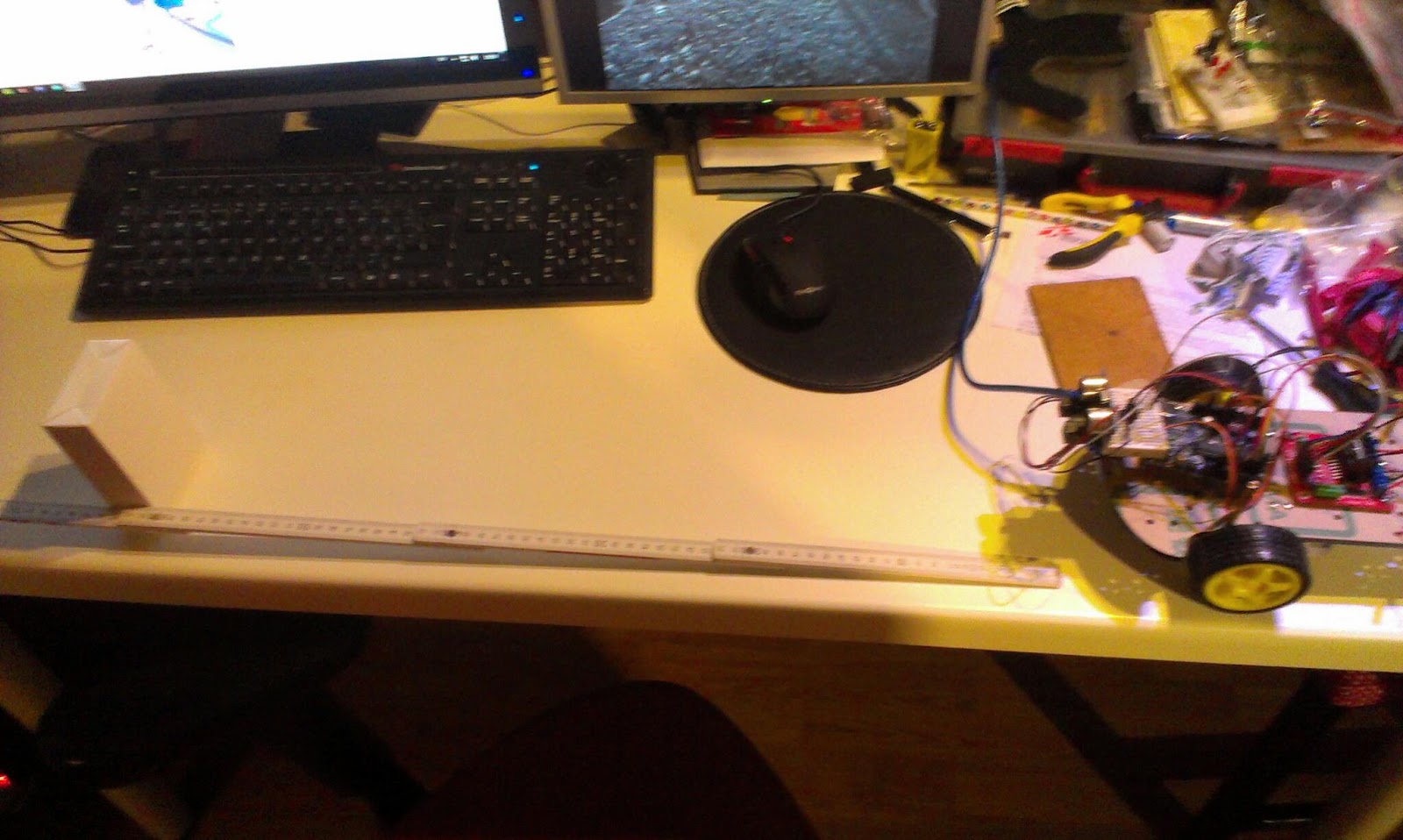
In the Robot Mapping Project I want to measure the time it takes for sound to travel from my robot to a number of microphones in order to calculate the position of the robot.
the Arduino "robot" with speaker

the electret microphones


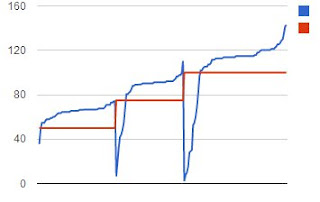
In previous blog post I have described the construction of the microphone circuits as well as my first attempts on measuring distance. The distance readings measured showed a large errors as shown i the figure below.

Red line is actual distance, blue is measured, the samples have been ordered in the X axis according to distance.

The median error from the last experiment was around + 14.8cm (that is the difference from middle of each red level to the blue.)  That error is probably since we measure the first valley in the sound wave and also from the setup time of the code and can be easily subtracted. It is the the other type of errors I would like to work on. 

There are two different errors that we encounter. 

First: Very much shorter distance readings.

Here we detect "false"-readings. These reading come from my code that detects the distance between the valleys in the incoming sound. I hope these will be kind of easy to correct since they are not directly followed by a 4.8Khz wave that lasts for a long time.

Second: Missing the first few waves

Here we fail to detect the valleys of the first waveform, I'm not so sure that I can easily solve this problem easy enough in code. But since the error seems to happen on a small amount of the samples I think that it can be remedied by taking more samples and use the median distance. I have done a few attempts and around 5 samples seems to work.
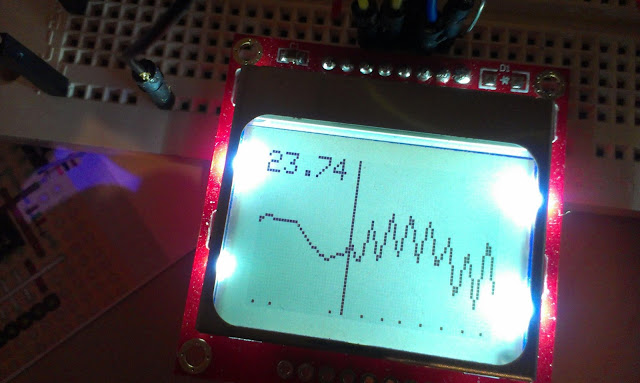
The incoming wave is detected. The valleys in the wave is displayed as small dots under the graph.

Why do I get these errors?

The errors come from
  • Noisy input
    • Low frequency noise from the USB
    • High frequency noise from components etc.
  • The detect valleys code
    • sometimes fails on detecting a valley and is also sensitive to noise.
  • The detect 4.8Khz wave train code.
    • Relies on the distance between valleys and need to have a sanity test. If there are two valleys with the correct distance but it is not followed by a lot of valleys its probably not the incoming wave.
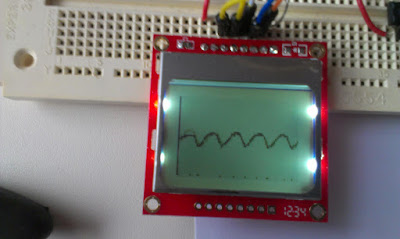
Noise on the input

Method

The plan for tonight's experiments is to modify the code to better detect a incoming wave-train.
  1. First apply filtering on the samples to see if the noise gets reduced, try this also on battery.
  2. Rethink the detect valley code, there really has to be a good stable source out there that is better than mine.
  3. Add sanity test to the detect wave train code. The input to this code could be reduced to a boolean array of valley center positions.
  4. A multiple sampling and median selection algorithm should be used.

Experimental setup
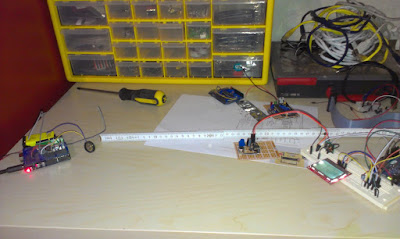
Experimental setup

A experiment should be conducted to evaluate the quality of the samples

Distances between microphone and speaker should be 25, 50, 75cm.
50 measurements on each distance should be made.

Results

The code was rewritten
  1. The software filters did not smooth things as much as I liked
  2. The detect valley code now works much better
  3. The wave train is detected and I reject false readings
  4. 5 samples are taken with 20 milliseconds delay the median of the index 2 and 3 and  values are used. If a sample failes to be detected it is taken again.
150 measurements have been done on 25, 50 and 75 cm distance
The measured distances in red versus the actual distances.  The error deviation increases with distance.

The medium error is +12,21cm for the combined distances. 

When the medium error is subtracted it is quite accurate at short distances.

Future work


Examine how the amount of samples and use of other frequencies can improve the accuracy.

Monday, March 4, 2013

No serial connection with the Little Wire bootloader

I spent a few hours yesterday with the ATtiny85 trying to program it using serial input to the Little Wire-boot-loader using the method described here.
The ATtiny95 set up as a Little Wire USB tool.
I tried both the windows(XP) with FBOOT.exe(that cannot be run on a 64bit OS) and Linux with the custom download tool(just called "bootloader") as described in the v1.1 version of the bootloader. But I get no connection. There should be a moment 0.3s or something during bootup where the bootloader responds to incoming serial connection.

Dan Sheadel kindly presented me with this link to a arduino High voltage serial programmer that can as I understand unset the "disable Reset Fuse"

This it is not a serious crisis for me, its only one IC we are talking about and I got more, and it seems I can use this as the little wire ISP programmer... but its interesting to try putting that circuit to work without frying my Arduino. And I would like to try the cdc232 USB to serial firmware.

Saturday, March 2, 2013

USB project disabled future ISP-programming

Introduction

As part of my newly started USB-to-serial project I wanted to put my new programmer to use. While the family and I watched Harry Potter I found http://littlewire.cc/, a very nice little project with very little hardware demands. It is based on a ATtiny85 and uses 2 zener diods and a few resistors to do all sorts of cool things with USB. Since It also could be loaded with the cdc232 USB to serial firmware I fought it might be a good start for the project.

Well I connected the circuit from http://solderpad.com/ihsan_kehribar/minimal-avr-programmer-and-more/

Zenerdiods, USB breakout, resistors and a ATtiny85.
Then I used the new programmer to program the circuit with the firmware. After installing the driver it enumerated correctly as a USB device. Then I wanted to use the firmware-boot-loader to upload the CDC232 code but since I have a 64 bit OS it did not work...

Shame to the one who gives up easily! 

I reconnected my programmer and tried to program it again, no response. The avrdude replies -1 check connections or something similar. After checking the connections a few times and even testing the programmer on another MCU and testing another programmer on the same ATtiny85. I started to suspect something was wrong with the ATtiny85 chip.
Testing the programmer on another MCU a ATtiny25
When I burned the bootloader onto the chip I used the following line from the Readme.md file:
avrdude -c usbtiny -p t85 -C -U flash:w:combined.hex -U lfuse:w:0xe1:m -U hfuse:w:0x5d:m -U efuse:w:0xfe:m
Using the fuse calculator that I learned about from Lady Ada Fuse tutorial. I realized that the "Reset Disabled (Enable PB5 as i/o pin); [RSTDISBL=0]" fuse was enabled and that effectively stops any further programming using ISP. Or as Lady Ada puts it
"I would suggest you never set this fuse unless you really mean to." - http://www.ladyada.net/learn/avr/fuses.html
Not that it really is a bad thing, the "littlewire" project needs its extra pin and I can always buy another MCU.

Something that I wonder about is if I had a high voltage programmer could I change the fuses then? And where can I get one of those. High voltage sounds cool, but I guess its only 12 V.


Friday, March 1, 2013

From breadboard to protoboard

Programmer on breadboard
In my last post I assembled a USBtiny programmer on a breadboard. A programmer can be used to program the MCU´s directly or to put a bootloader on them like the Arduino bootloaders.


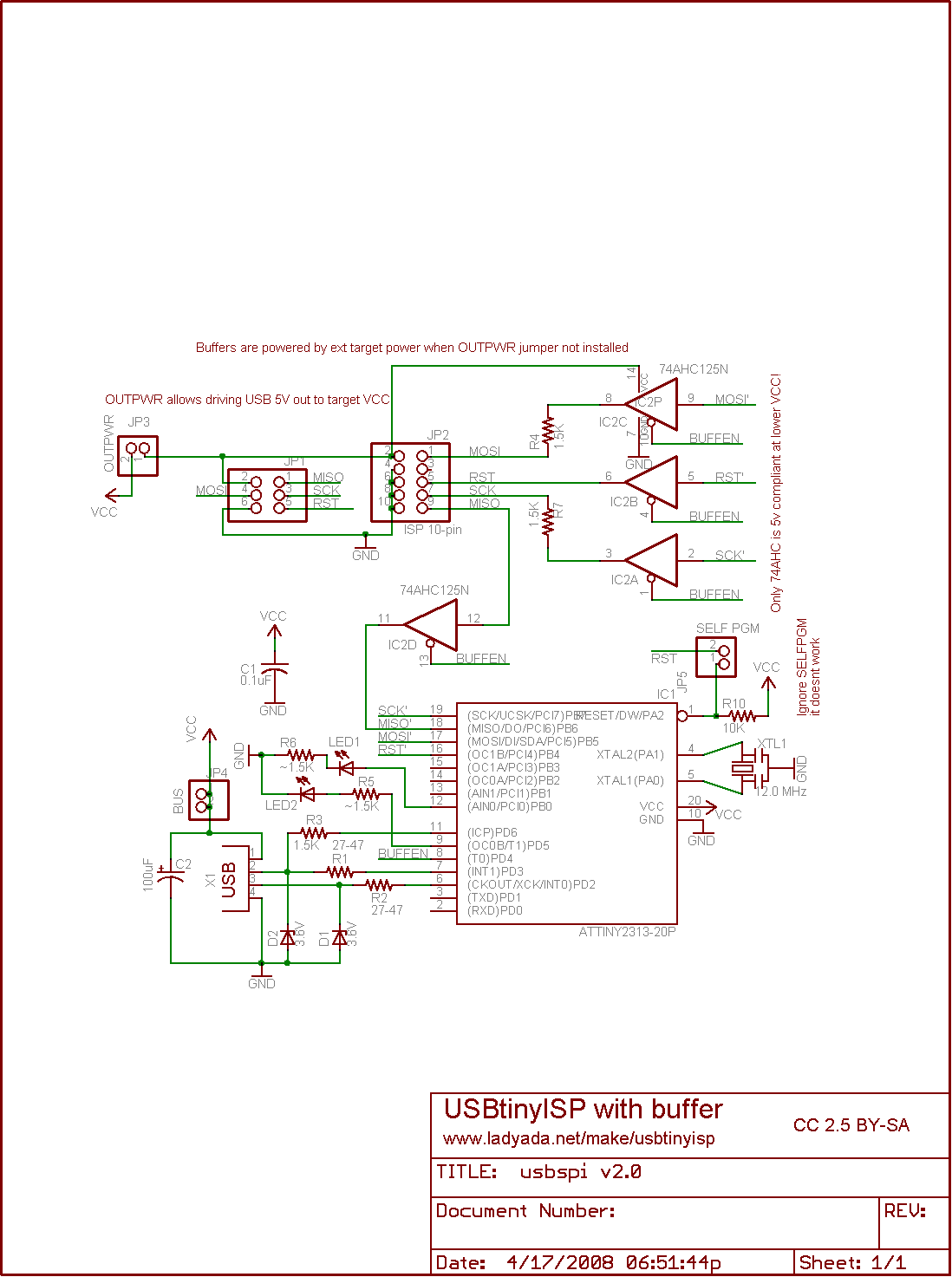
The buffer circuit from LadyAda schematics was left out since I was not totally sure that I bought the correct IC. I bought the 74HC125N and ladyada recommends a 74AHC125N. I could live with a missing "A" but the schematics says that "Only the 74AHC is compliant at lower VCC!". I tried to compare the datasheets but they where a bit different in their layout and I did not know what to look for. 

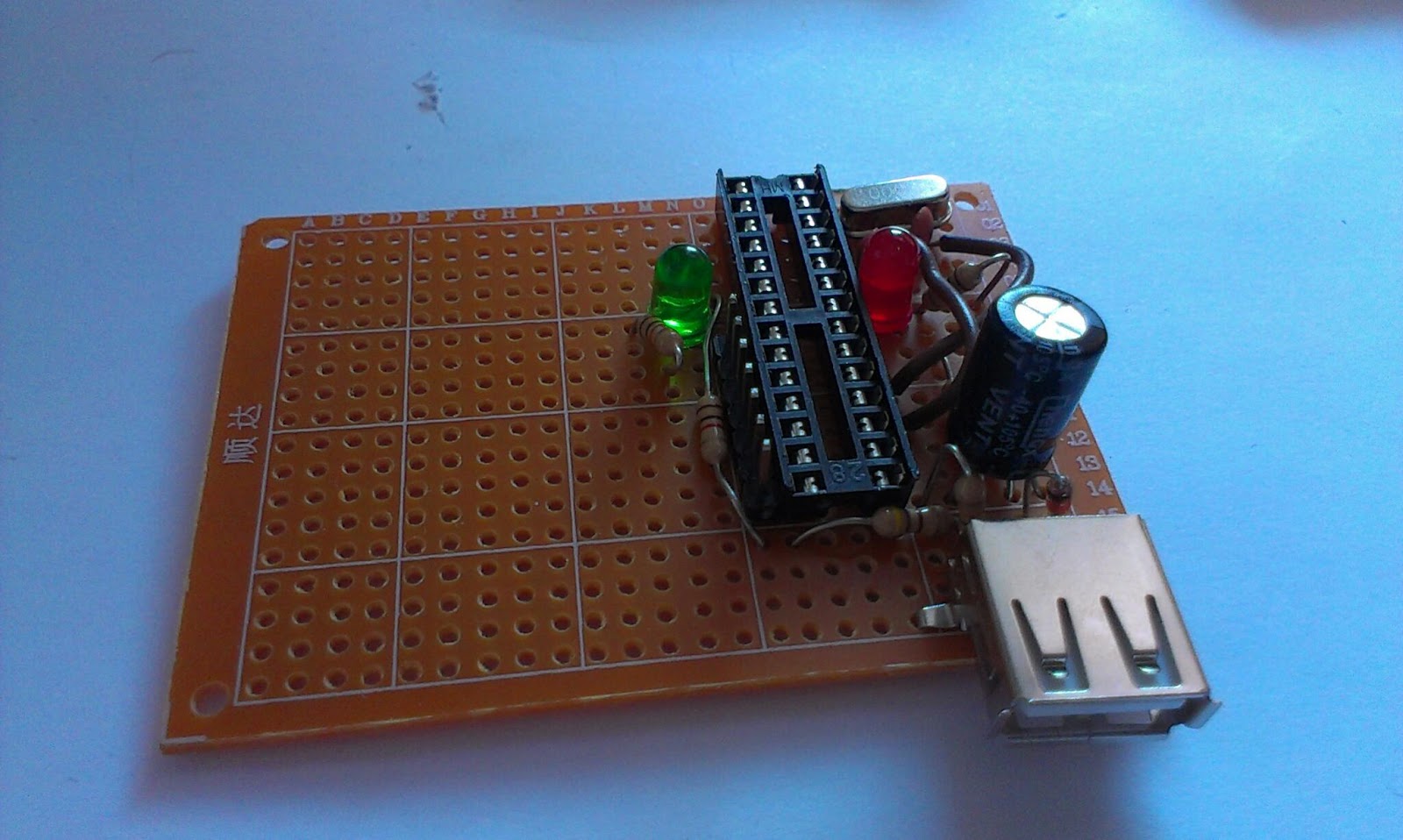
Last night I designed it the layout in Fritzing, printed it and the schematics and then I soldered it. 

The soldering went kind of OK, 
I´m really no expert in soldering and I consider it to be kind of messy when you are designing and making it up as you go. But it is fun kind of problem solving.

The soldered programmer, with female USB port

Instead of the Sparkfun MicroUSB I used on the breadboard I used the female USB header. Female type A headers are those mostly on USB-hosts like computer so putting a female type A header on a USB client is kind of weird, but hey I´m learning and I asked my wife to buy me a USB male to male cable. When she brought it home for work I was eager to test my circuit.


Kind of nervous I plugged in the USB cable without the ATtiny2313 chip in the circuit and spent a few minutes with the multimeter. Then I removed the USB and inserted the chip and plugged in the USB-cable again. The red LED should light up, but it remained black, so I quickly removed the power and started to search for an error... could not find any so I moved the ATtiny chip back to the breadboard, putting cables from the protoboard IC socket into the correct places on the ATtiny and it worked?! Moved the IC back to the protoboard and no light...

After 2 hours of searching for an error I just plugged it into the socked again and pressed it a little firmer into the socket and it the red LED lighted up, confirming correct USB connection!

Programming
I tested the board by programming the already wired up ATtiny85 that I think I will use in another USB project. Worked smoothly and without any problem.

My plan for the space left on the protoboard is to place a ZIF(Zero Insertion Force) socket so I can program new IC´s faster. I also plan to place male headers on the sides so I can select where I want the SCK, MISO, MOSI and RESET lines to go. If there is space I will also put in the buffer chip and a female header to put a crystal in.

dx.com zif socket hm looks a bit wide?

Lessons learned:

  • Plan ahead before you solder
  • Buy proper USB sockets, that you have cables for
  • Firmly insert IC´s in sockets