Showing posts with label Sharp distance sensor. Show all posts

Wednesday, June 19, 2013

SLAM with imperfect sensors

SLAM from 5 positions joined into a best belief map. Red is particle filter position likelihood estimation.  Green lines are Sonar and yellow are IR distance readings. Rectangles + line shows old and current poses. Circles are 10 cm apart.
I have been very sparse with my blogging but I'm actually getting somewhere with my SLAM attempts. I can now combine sensor-readings from multiple location and the robot moves between poses.

The sensor-readings consists of IR and Ultrasonic distance sensors on a servo taking readings 1 degree apart. resulting in 170 distance readings per pose. I have a compass but I'm not using it right now. These sensor-readings are used to estimate the new position using a particle filter.
Robot with LiPo battery. IR-sensor and Ultrasonic sensor on a servo in the front.
My biggest problem right now is that the sensors behave a bit uncertainly, not just noisy but also depending on material, angle and size of the object you get different readings. I have tried to mediate this by combining the IR with the ultrasonic.

IR has small angle but is sensitive to reflective, transparent and luminescent materials. It also behaves badly on striped materials. And my IR sensor also works ok between 20 and 100 cm.

Ultrasonic sensor has wide angle 15-20 degrees, is quite precise, works on most materials that I know of but is sensitive to steep angles.

Saturday, May 25, 2013

Combining sensor input into maps

Combined heading from compass sensor with distance readings from ultrasonic (green) and IR  (red), black lines are robot headings
Today I started to try and combine several measurements from different sensors into a single picture. I scan the environment using the ultrasonic sonar and IR distance sensors and draw a picture of the robots environment. Currently I do not account for position.

The ultrasonic sensor has really wide angles of 15 degrees making it ideal to scan the environment fast. It also has better range than the IR sensors around 2 meters while the IR sensor starts to give inaccurate readings after a meter or so.

The compass gives really crappy values, but I started on an algorithm to correct it based on linear mapping. I measured 45 degree angles and it seems to work OK. All sensors have a lot of noise on them, some of which I can remove using multiple measurements and making sure to add delays after using servos and motors. I'm thinking of moving all sensor calibration to the Rpi board in order to better calculate noise distributions.

Compass Calibration 


Thursday, February 7, 2013

GP2Y0A02YK0F Sharp Sensor Distance/Voltage values


Introduction

I aim to use the Sharp GP2Y0A02YK0F distance sensor for my robotic mapping project
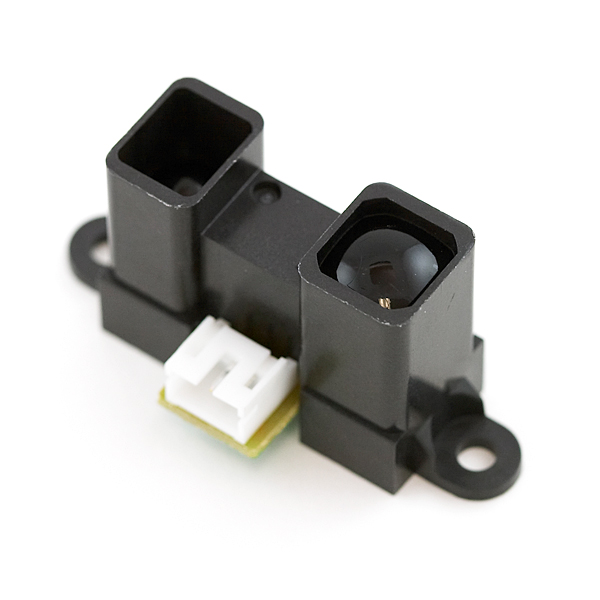
The image from CC

The Sharp sensor is described in the datasheet like this :
"GP2Y0A02YK0F is a distance measuring sensor unit,
composed of an integrated combination of PSD
(position sensitive detector) , IRED (infrared emitting
diode) and signal processing circuit.
The variety of the reflectivity of the object, the
environmental temperature and the operating duration
are not influenced easily to the distance detection
because of adopting the triangulation method.
This device outputs the voltage corresponding to the
detection distance. So this sensor can also be used as
a proximity sensor."

 In the same datasheet the following graph can be seen and at first I measured my distance values from that graph, inserted them into the arduino code but was not really happy with the large errors in my measurement results.
Datasheet graph
The accuracy of my measurements (more rough estimations) was so bad and very few cases I could get ok measurements ex 0.5V or 0.75V. It really would help if the datasheet had provided me with a list of values and distances. Well If it does not exists lets measure them ourself!

Method 

The measurements were done on my table with a ruler and between 16 cm to 120 cm. The first measurement were done at 16 and the second at 30 cm after that I incremented in 10 cm increases.
The target was a white paper box (Raspberry PI case box).
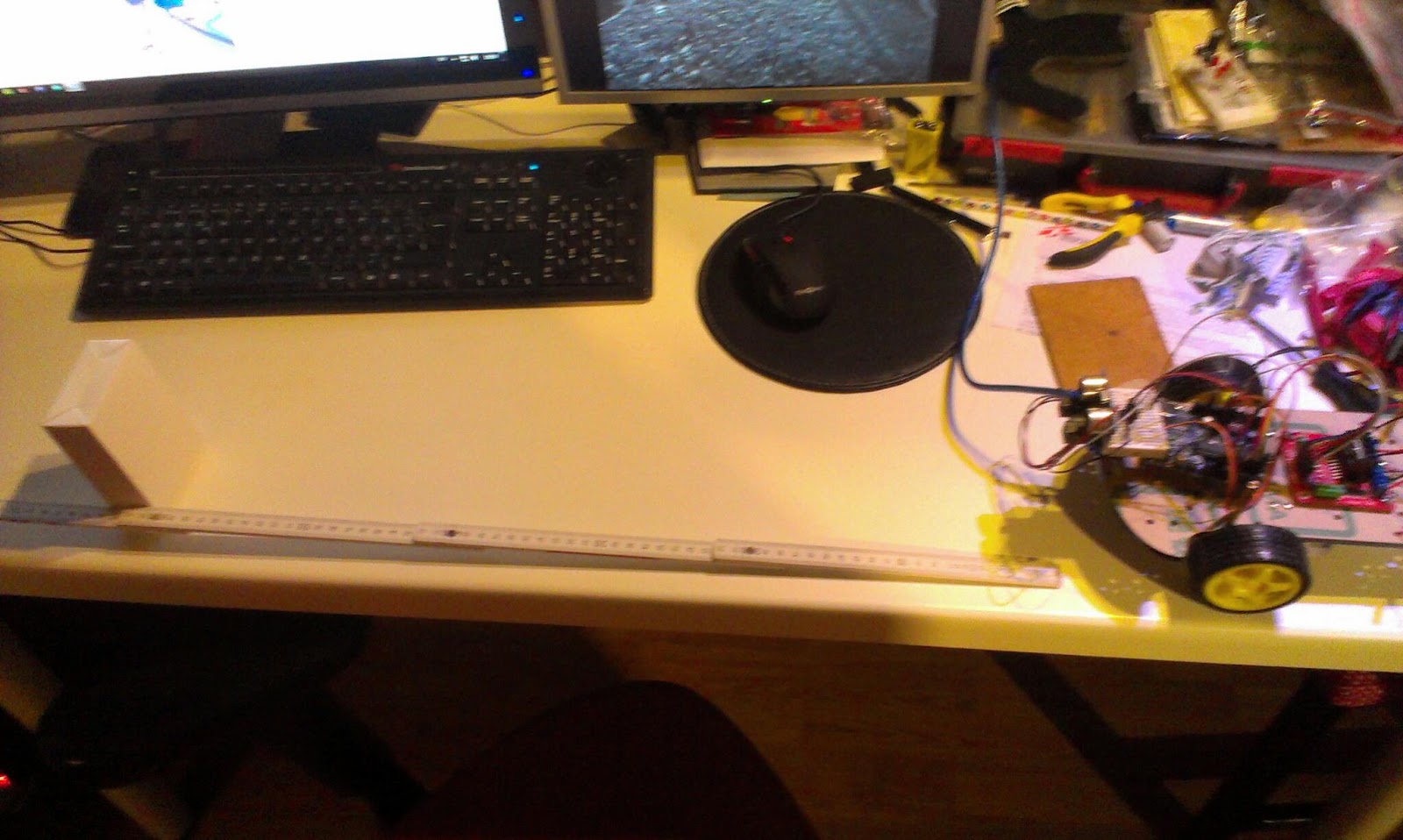

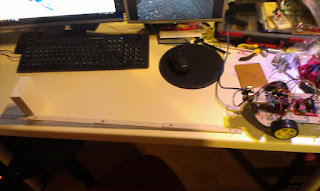
The measuring setup

The code for reading the voltage from the sensor on pin A0

float getRawMeasurement() {
      int sensorValue = analogRead(m_analogPin);
      return (float)sensorValue * (5.0f / 1023.0f);
  }

Every measurement was done 8 times the 2 lowest and 2 highest values were discarded. The middle 4 values were averaged. Every measurement was done with a delay of 1 millisecond.

Result

These are my measured values using the infrared Sharp distance sensor GP2Y0A02YK0F.

cm Voltage
120 0,6
110 0,65
100 0,71
90 0,77
80 0,85
70    0,95
60 1,09
50 1,31
40 1,63
30 2,11
16 2,9

Discussion

My measured values
Datasheet graph
The graph really resembles the graph that can be seen on the datasheet even if I got a little bit closer to the sensor without getting false readings.
The differences could be explained by difference in measurement techniques (size and texture of the target etc.).

The measurements were used in the code the following way to provide distance in cm from voltage.
float transformToCM(float a_voltage) {
      static const int numDots = 11;
      static const float voltages[numDots]= {0.60f, 0.65f,  0.71f, 0.77f, 0.85, 0.95f, 1.09, 1.31, 1.63f, 2.11f, 2.9f};
      static const float distance[numDots]= {120,    110,    100,    90,    80,   70,  60,   50,      40,    30,   16};
      float dist = 0.0f;
   
      for (int i = 0; i < numDots-1; i++) {
        if (a_voltage < voltages[i+1]) {
           return floatMap(a_voltage, voltages[i], voltages[i+1], distance[i], distance[i+1]);
        }
      }
      return dist;
    }

And the interpolation method here:
float floatMap(float sourceValue, float sourceMin, float sourceMax, float destMin, float destMax) {
      float sourceRange = sourceMax - sourceMin;
      float percent = ((sourceValue - sourceMin ) / sourceRange);
      float destRange = destMax - destMin;
      return destMin + percent * destRange;
    } 

Next Step

I´m still not totally satisfied with the measurement results but these are much better. I really should add another measurement between 16 and 30 cm. And more measurements from 120 to 150cm. Next step is to increase my understanding on how the surface of the object matters, some elements like reflecting surfaces (my computer screens) seem to interfere. I also want to handle the closer than 16cm measurements using the sonar. But since the sonar and IR interfere I need to come up with some technique to speed up my sonar measurements since it takes time to switch from sonar to IR and back.

I also need to start using gist for my code snippets here...


Tuesday, February 5, 2013

More mapping with Sharp Sensor

More measureing
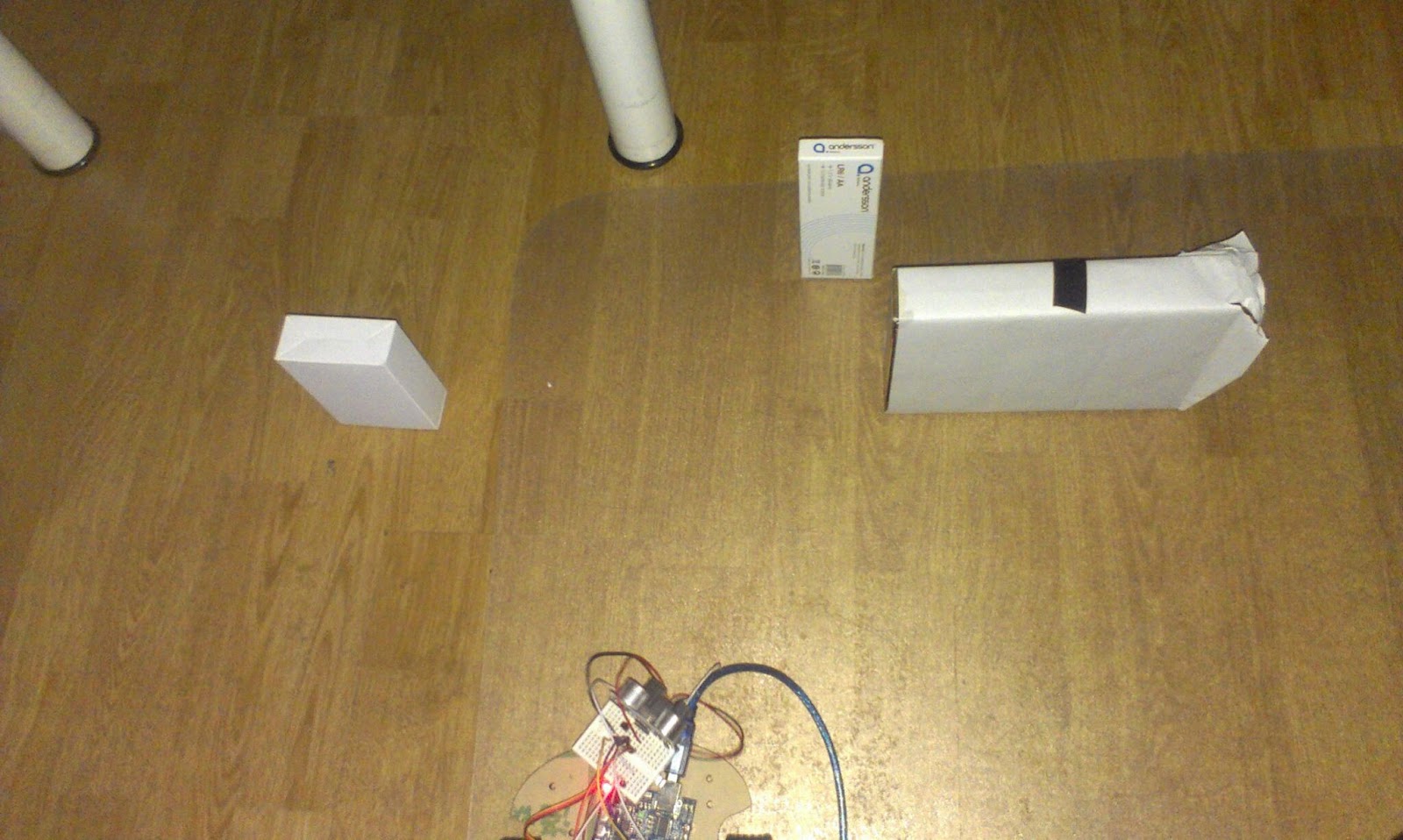
I did some fine calibration of the Sharp sensor and attempted another mapping session. Result are as below...


The mapping and the result


Sunday, February 3, 2013

Measuring

Measuring the distance
The interference between the sensors was solved by adding a npn transistor on the powersupply for the Sharp sensor.
The npn transistor shuts down the sharp sensor when its time for the sonar
When removing the power on the Sharp sensor the sonar can measure properly. But I did not anticipate that the Sharp sensor would need so much time to start up i added a delay based on the datasheet. (delay(38+10+6); )

Friday, February 1, 2013

More work on the Sharp sensor

The sharp GP2Y0A02YK0F Infrared distance sensor has a nonlinear voltage versus distance output specified by the datasheet.

I took some positions on that curve and made my multi-linear mapping...

void setup()
{
  Serial.begin(115200);
}
void loop()
{
  float dist = getSharpDistance(0);
  Serial.println(dist);
 
  delay(200);
}
float getSharpDistance(int sensorPin) {
 
  int sensorValue = analogRead(sensorPin);
  float voltage = sensorValue * (5.0 / 1023.0);
  float dist = 0.0f;
  if (voltage < 0.4f) {
    return 0;
  }
  else if (voltage < 0.8f) {
    dist = floatMap(voltage, 0.4f, 0.8f, 150, 70);
  } else if (voltage < 1.5f) {
    dist = floatMap(voltage, 0.8f, 1.5f, 70, 40);
  } else if (voltage < 2.8f) {
    dist = floatMap(voltage, 1.5f, 2.8f, 40, 15);
  }
  return dist;
}
float floatMap(float sourceValue, float sourceMin, float sourceMax, float destMin, float destMax) {
  float sourceRange = sourceMax - sourceMin;
  float percent = ((sourceValue - sourceMin ) / sourceRange);
  float destRange = destMax - destMin;
  return destMin + percent * destRange;
}


BTW I just found Jeremy Blythes blog . He used a formula he found on Sparkfuns page for the sensor
I think the source is jmatson11 and the formula is
"Distance = 16.2537 * x4 – 129.893 * x3 + 382.268 * x2 – 512.611 * x + 306.439 *Where x=Voltage read on ADC and Distance is in cm."
I must try this formula!


The sharp sensor attached to "Flip"

I attached the sensor to Flip, just under the ultrasonic sensor, giving Flip double vision. Initial tests seems fine but The USB-cable for the Arduino is a little bit bad positioned so it blocks the sharps cable. 

I really should take the droid out to the shed to drill some new mounting holes for the arduino board. I just used two existing badly spaced holes and placed the arduino between them.


Thursday, January 31, 2013

Trying the Sharp Sensor

The datasheet  of GP2Y0A02YK0F might be handy...

I first connected GND to ground, VCC to +5 V pins and V0 to Analog zero (A0)

And first tried an slightly adapted version of ReadAnalogVoltage

void setup() {
  Serial.begin(115200);
}
void loop() {
  int sensorValue = analogRead(A0);
  float voltage = sensorValue * (5.0 / 1023.0);
  Serial.println(voltage);
  delay(1000);
}
 The output is the voltage on AO


2.45
2.33
0.48
1.62
2.17
2.23
0.36
0.36
0.34
1.11
0.02
1.80
1.83
1.97
2.11
2.15
2.33
2.39
High values are close range and low values are long range just like the datasheet tells me.

Next step change measurements to the metric system. 
I found this blog post doing a linear mapping. But the datasheet() shows me its a nonlinear relationship between distance and voltage so I would like to find a arduino library.

Yay a little googleing later I found http://code.google.com/p/gp2y0a21yk-library/ but that is for the little brother of this sensor with lower range...

And then I found this resource for linearizing output ... 

to be continued....